-
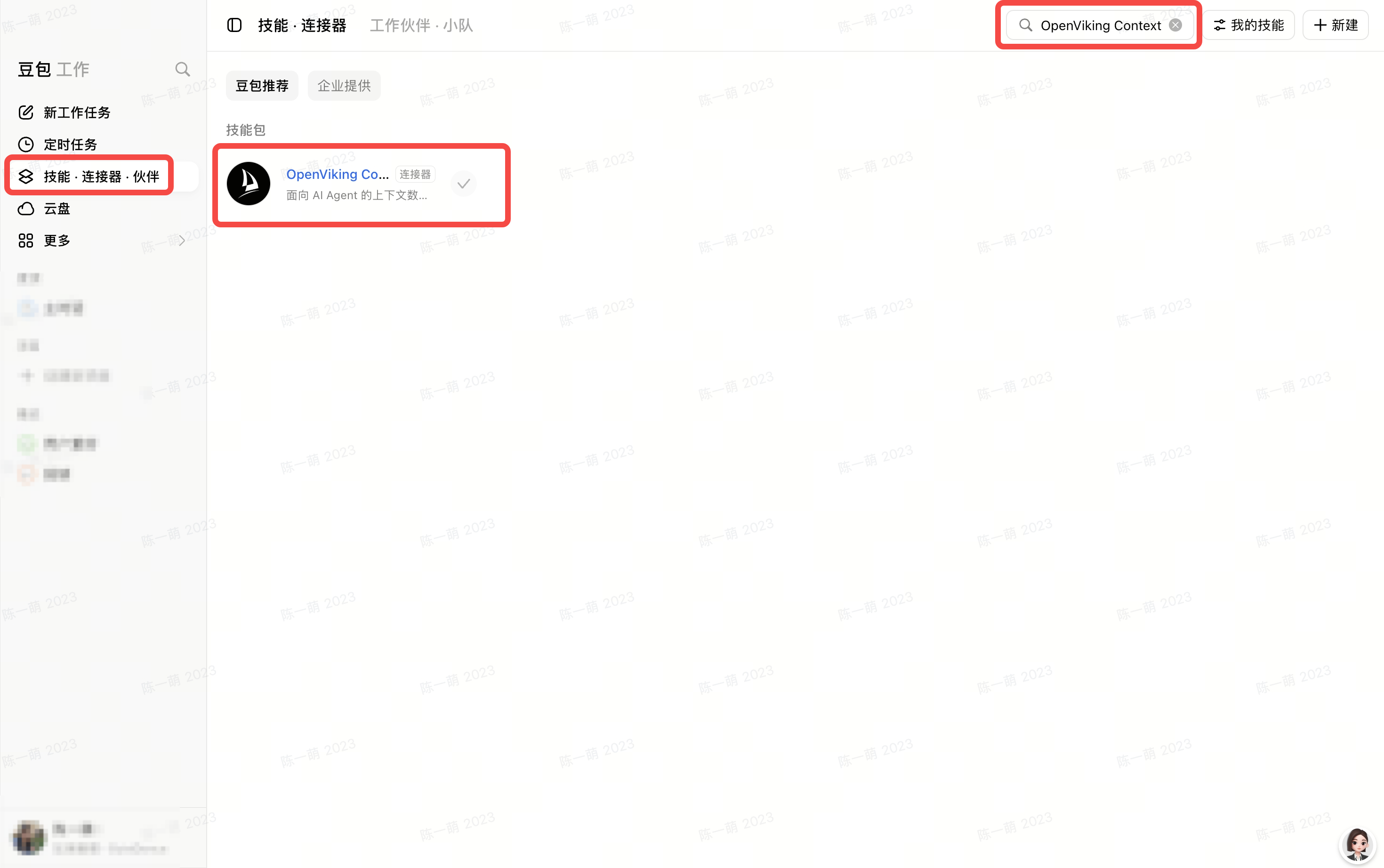
Open Doubao Work, select Skills · Connectors · Partners in the sidebar, search for “OpenViking Context,” and select +.
-
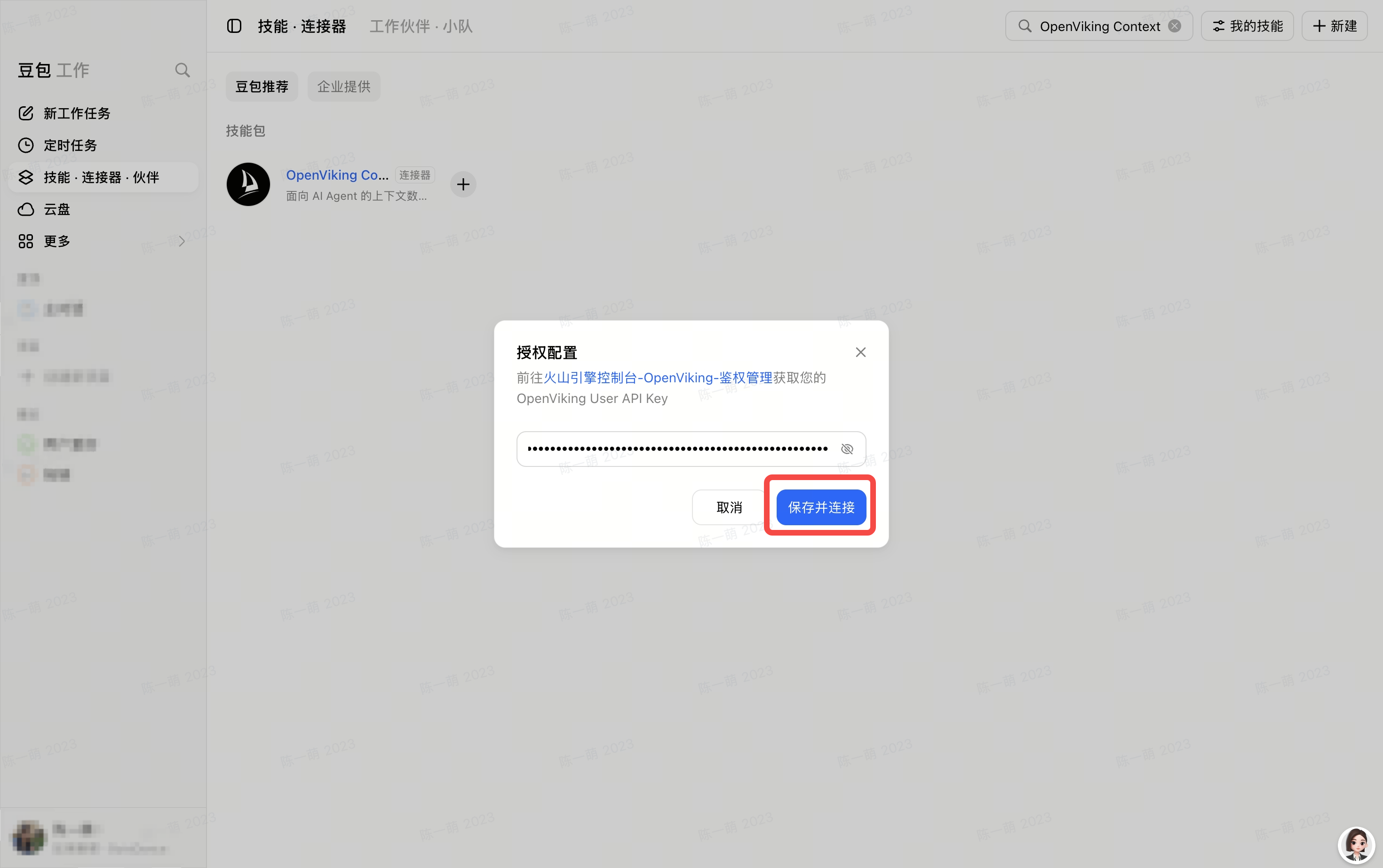
Enter the OpenViking USER API key in the authorization dialog:
{{OPENVIKING_API_KEY}} -
Select Save and Connect. Integration is complete when the “Connector installed” message appears and the + next to “OpenViking Context” changes to the added state.
-
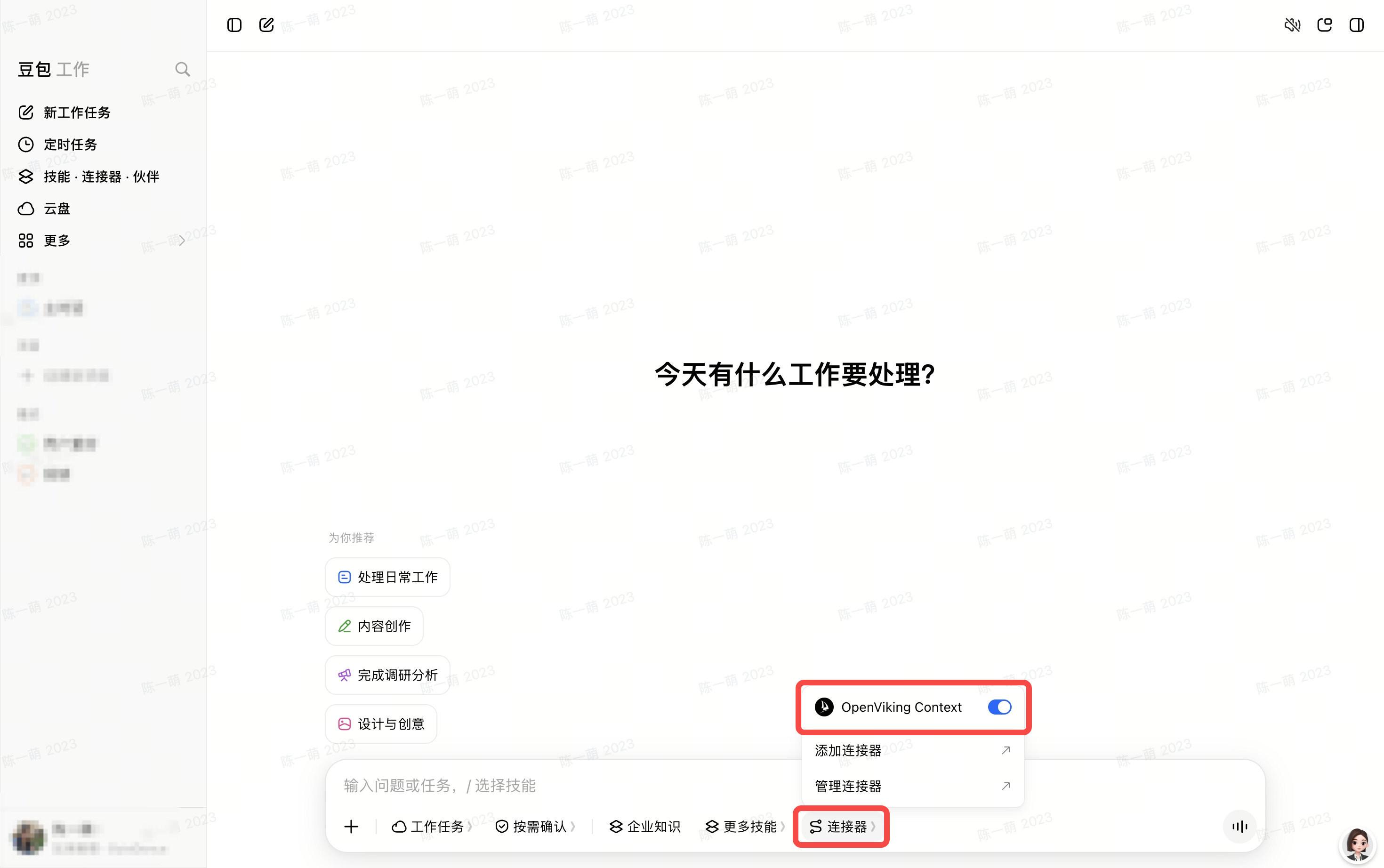
Return to a Doubao conversation, select Connectors below the input box, and confirm that “OpenViking Context” is available.
-
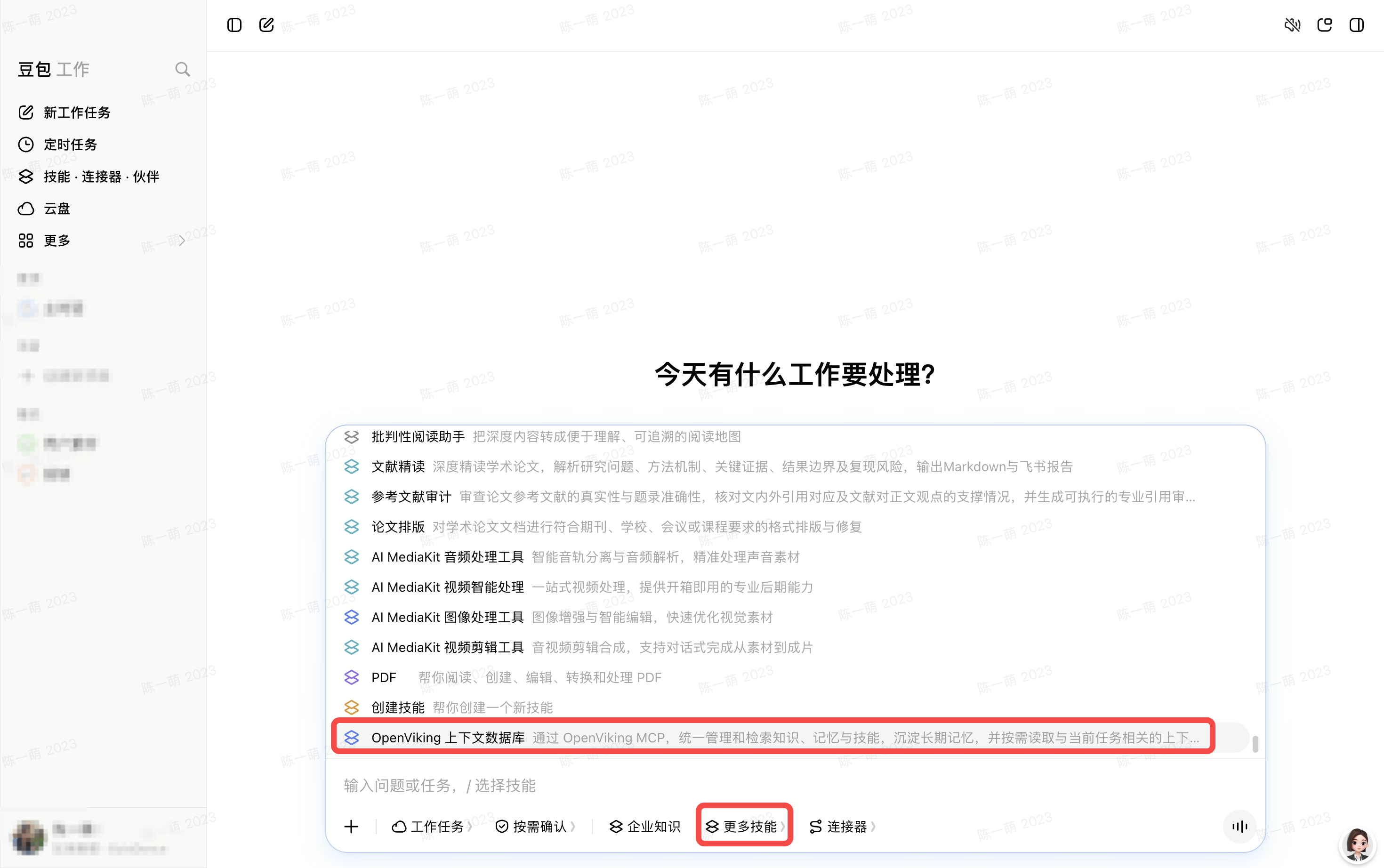
Select More Skills, confirm that “OpenViking Context Database” is available, and ask Doubao to call OpenViking and return relevant content.
| Issue | Resolution |
|---|---|
| “OpenViking Context” does not appear in search | Confirm that you are using Doubao Work, clear the search and try again; if it is still unavailable, ask your organization administrator whether the connector has been enabled |
| Connection fails | Check that the OpenViking USER API key is correct |